
TS Police Constable 2026 Apply Online applications have officially opened, and with 7,437 vacancies on offer across Constable, SI, ASI, Driver, and Mechanic posts, this is genuinely one of the largest uniformed-service recruitment drives Telangana has run in recent years. The Telangana State Level Police Recruitment Board (TSLPRB) has structured this as a single common application covering every post — which sounds convenient, but also means the registration form has several sections that trip candidates up if they’re not prepared for them: an Aadhaar-linked face verification step, a local district declaration tied to your primary schooling years, and a firm no-edits policy once you hit submit.
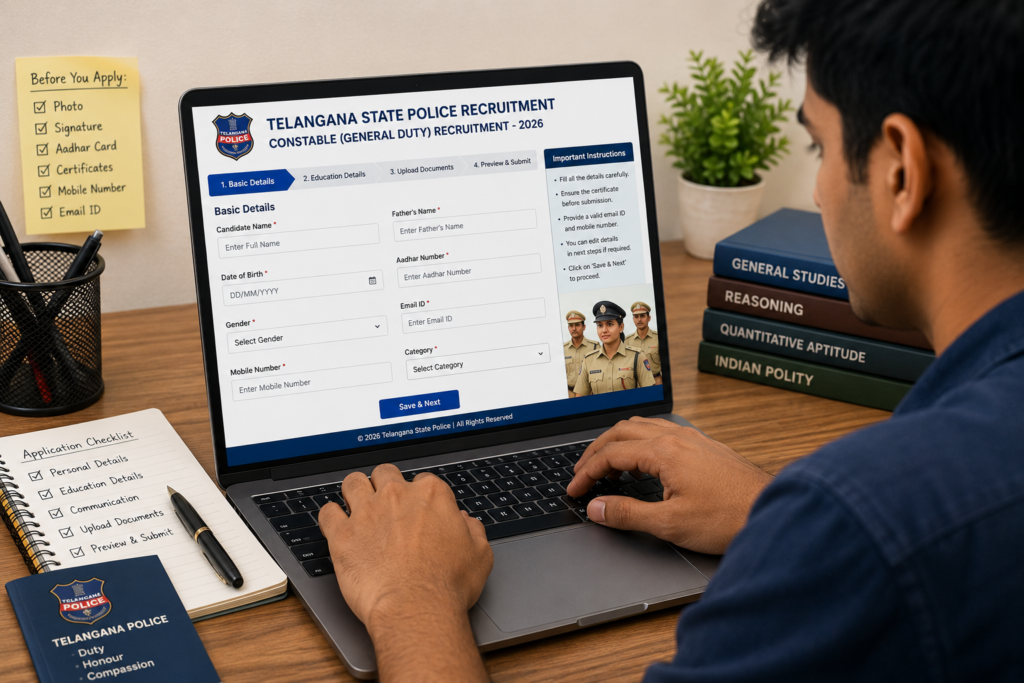
This guide walks through the entire TSLPRB application process exactly as it appears on the portal, screen by screen — registration, OTP verification, password setup, post selection, fee payment, the qualification and local-district sections, and the Aadhaar face authentication step that catches a surprising number of first-time applicants off guard. If you’re getting ready to apply, read through this before you start rather than mid-application, since a few of these steps can’t be corrected once submitted.
Table of Contents
About This Recruitment
The Telangana State Level Police Recruitment Board (TSLPRB) released its 2026 recruitment notifications on 29 July 2026, covering a combined 7,437 vacancies across the Telangana Police, Fire Services, Prisons, and Special Protection Force departments. The drive spans multiple ranks — Police Constable, Sub Inspector (SI), Assistant Sub Inspector (ASI), Driver, Mechanic, and related posts — issued through separate detailed notifications for different post categories, though candidates apply through a single common online application covering whichever posts they’re eligible for and interested in.
Important Dates
| Event | Date |
|---|---|
| Notification Release | 29 July 2026 |
| Online Application Start | 19 August 2026 |
| Online Application Closing Date | 9 September 2026 |
Since this is a single application window for multiple post types, there’s no separate deadline per post — get everything submitted before the 9 September closing date regardless of which role you’re targeting.
Vacancy Overview
| Detail | Figure |
|---|---|
| Total Vacancies | 7,437 |
| Departments Covered | Police, Fire Services, Prisons, Special Protection Force |
| Posts Included | Constable, SI, ASI, Driver, Mechanic, and allied roles |
| Application Type | Single common application for all applicable posts |
The exact post-wise and district-wise vacancy breakup is published in TSLPRB’s separate detailed notification PDFs for each post category — check the specific PDF relevant to the post you’re targeting for precise numbers in your preferred district.
Eligibility Snapshot
- Police Constable: Intermediate (10+2) or an equivalent qualification, including a relevant diploma
- Sub Inspector (SI): A Bachelor’s degree in any discipline
- Age relaxation of up to 5 years applies as per standard category rules, with the Board having additionally announced a further 2-year upper-age relaxation on top of the existing 5-year relaxation for posts covered under this specific recruitment cycle
- Both male and female candidates from any district are eligible to apply, including candidates from Andhra Pradesh applying under the open/non-local category
Since exact age brackets and qualification specifics vary by individual post, always cross-check the precise figures in the detailed notification PDF for your target post before applying.
Step 1: Find the Official Portal
Search for TSLPRB or go directly to tgprb.in, the official Telangana Police Recruitment Board website. The homepage displays the current recruitment drive along with the total notified vacancy count and a link to the User Guide, which contains detailed application instructions if you want to cross-check anything covered here.
Step 2: Register as a New Candidate
Click the Apply Online link. You’ll be asked whether you’ve already registered — every first-time applicant should select “No, Register”. This opens the registration page, where you’ll need to answer a few eligibility-linked questions before your personal details are even requested:
- Did you study your SSC (10th class) in Telangana between 2004 and 2024? Select Yes if applicable.
- Are you a local candidate of Telangana State as per the Presidential Order, 2018? Telangana-origin candidates select Yes; candidates from Andhra Pradesh or elsewhere select No.
Next, enter your 10th class hall ticket number and year of passing. The system pulls your name and date of birth automatically from this. Select your community/caste category, provide your mobile number and email ID, choose your gender, and submit. An OTP is sent to your mobile number — enter it to complete registration.
Step 3: Your First Login and Password Reset
Once registered, you can log in using your mobile number as the username and your date of birth as the initial password. On first login, you’ll be prompted to set a new, permanent password meeting these requirements:
- Minimum 8 characters
- At least one capital letter
- At least one lowercase letter
- At least one digit
- At least one special character
After setting your new password and submitting, you’re taken into the actual application dashboard.
Step 4: Selecting Which Posts to Apply For
The dashboard displays post categories like PC-TPC (Police Constable, Civil and Equivalent) and PC-TS (Sub Inspector, Civil and Equivalent). You do not need to rank post preferences — TSLPRB allocates postings based on your exam performance rather than a preference order you set upfront.
Select the checkbox for each post category you want to apply for. You can select just Constable, just SI, or multiple categories including ASI, Driver, and Mechanic posts if you’re eligible and interested in more than one — each selection affects the total fee shown in the next step.
Step 5: Paying the Application Fee
Once you’ve selected your post category or categories, click Continue to Pay. Payment options include credit card, debit card, net banking, wallet, or UPI. UPI is the most straightforward — select Pay by any UPI App, choose your preferred app (PhonePe, Google Pay, or similar), and complete payment. If you’re paying by card, you’ll need the card number and CVV, followed by an OTP sent to your bank-linked mobile number to authorize the transaction.
Take a screenshot of your transaction confirmation once payment completes, and check that your fee payment status shows as successful before proceeding — this becomes important if you ever need to verify your payment later.
Step 6: Choosing Your Exam Medium
After fee payment, click Continue to Fill the Application Form. The first choice here is your medium of the written examination — select Telugu or English based on your preference. One important exception: papers for technical posts are conducted only in English, regardless of your selected medium for the general paper, so keep that in mind if you’re applying for a technical category.
Step 7: Photo and Signature Upload Rules
This is a step worth reading carefully rather than skimming: your photograph and signature must be combined into a single image file, with your signature appearing directly below your photo — not uploaded as two separate files. Specifications:
- Photo width: 3.5 cm
- Photo height: 4.5 cm
- File size: Between 30 KB and 100 KB (files larger than 100 KB will be rejected)
- File name: Must include “Photo and Signature” as specified
If you need help resizing your image to these exact dimensions, tools like iamresizer.com can format photos to Indian government application specifications relatively easily.
Step 8: Aadhaar Number and Community Details
Enter your Aadhaar number — your date of birth and age (calculated as on the reference date, July 2026, in this notification) will auto-populate based on your earlier registration details. Your community/caste selection also carries forward from registration; you’ll additionally need to select your specific sub-caste within your chosen category.
Step 9: The Local District Declaration — Read This Carefully
This section asks you to specify which district you’re a local candidate of, based on where you studied from Class 1 to Class 7 — not your current residence or the district on your ID. If you studied across old or newly reorganized districts, use the district where you completed Classes 1 through 7, referred to by its current/present district name.
You’ll then set an exam centre preference — a first and second choice, typically your local district and a nearby one. A specific note published alongside the notification states that candidates applying for SI, ASI, Constable Mechanic, and Constable Driver posts may be allotted a centre in Hyderabad or a nearby location, depending on facility availability, regardless of their district preference — other posts are generally allotted centres tied more directly to the selected district.
Step 10: Exam Centre Preference
Following directly from your local district declaration, enter your first and second exam centre preferences. There’s no requirement that both be your home district — many candidates choose their home district as the first preference and a nearby, more accessible district as the second.
Step 11: Ex-Servicemen and Home Guard Relaxation
Two straightforward yes/no fields follow:
- Ex-Servicemen quota and age relaxation: Select Yes only if you’ve served in the Army, Navy, Air Force, or Territorial Army and wish to claim the applicable relaxation; otherwise select No.
- Home Guard quota and age relaxation: Select Yes only if you have Home Guard service background; otherwise select No.
Step 12: Address and Qualification Details
Enter your communication address in full — house number, colony, village, district, mandal, and PIN code. Then move to the qualification section, which adjusts based on which posts you selected earlier:
- For Constable posts: Select “Intermediate” (or “Equivalent Intermediate” if your qualification is a diploma), then specify your specific stream — MPC, BiPC, MEC, or whichever applies.
- For SI posts: A Bachelor’s degree in any discipline qualifies — select your specific degree and stream.
- If you hold a higher qualification (for example, a degree) but are applying only for Constable posts, you can still record that higher qualification in this section.
You’ll then see a block of important instructions explicitly directing candidates to carefully read the relevant post-specific notification before finalizing their application — take this seriously, since two critical warnings follow directly after: non-local candidates are automatically considered under the Open/General category, and community details, once submitted, cannot be changed afterward under any circumstances. A mistake here isn’t correctable later, so double-check your caste/category selection specifically before moving forward.
Step 13: Final Review and Submission
The form displays several compulsory declarations at this stage, including that providing false information can lead to criminal action against you, and that possession of a hall ticket doesn’t imply final approval — your candidature remains provisional at every stage, and the Board reserves the right to reject an application at any point without notice. Also worth noting: candidates applying for technical posts do not have a preliminary written test — only Constable-category applicants go through the preliminary test, physical measurement/efficiency stages, and the main written exam in sequence.
Once you’ve reviewed everything, click Submit. A warning appears confirming that no modifications will be allowed under any circumstances once submitted — if you need to fix something, click Cancel to Modify at this point rather than proceeding. If everything is correct, click Get OTP, enter the OTP sent to your mobile number, and submit. You’ll see a confirmation that your application form has been saved successfully.
Step 14: Aadhaar Face Authentication
This is the final verification step, and it requires a specific app: download the Aadhaar app from the Play Store on your phone (or a friend’s phone, if needed) before starting this step. Once downloaded:
- Click Verify with Aadhaar Face Authentication.
- Scan the QR code displayed on your application screen using the Aadhaar app.
- Review your Aadhaar details as they appear, then click Continue to share your details.
- Approve the request from “Telangana State Police” within the Aadhaar app.
- Click Continue to Face Verification, position your face in front of your camera, and blink when prompted — the indicator turns from red to green once verification succeeds.
- You’ll see “Aadhaar Shared Successfully” — click OK to complete this step.
This entire authentication flow is designed to keep the process transparent and prevent any manipulation of applicant identity — it’s a genuinely secure step, even though it takes a few extra minutes compared to a typical form submission.
Step 15: Printing Your Application
Once Aadhaar verification is approved (this can take a short amount of processing time), your application moves to final submission automatically. From here, go to the Print section, select the post you applied for, and print your completed application for your personal records.
Common Mistakes to Avoid
- Uploading photo and signature as separate files. They must be combined into a single image, with the signature appearing directly beneath the photo.
- Getting your local district wrong. This is based on where you studied Classes 1 through 7, not your current address or ID — an incorrect entry here can affect your local-candidate status.
- Selecting the wrong community/caste category carelessly. Once submitted, this detail cannot be changed under any circumstances.
- Assuming you need to rank post preferences. You don’t — allocation is based on your exam performance, not a preference order.
- Forgetting that technical papers run in English only, regardless of which exam medium you selected for the general paper.
- Not having the Aadhaar app installed before reaching the verification step. Download it in advance so you’re not scrambling mid-application.
- Clicking Submit before reviewing every section. TSLPRB explicitly states no modifications are allowed after submission — use the Cancel to Modify option if you spot an error before confirming.
- Assuming a preliminary written test applies to every post. It doesn’t — technical posts skip the preliminary test entirely, while Constable-category posts go through it.
Expert Tips for a Smooth Application
- Prepare your combined photo-and-signature image in the exact required dimensions and file size before you start the application, rather than trying to create it mid-process under time pressure.
- Keep your 10th class hall ticket, Aadhaar card, and category certificate physically next to you while filling the form, since several fields pull directly from these documents.
- Double-check your caste/category selection twice before submitting that section — this is the one detail in the entire form that cannot be revised later.
- If you’re eligible for both Constable and SI posts and are still deciding, note that selecting multiple post categories at the checkbox stage adds to your total fee — factor this into your decision before proceeding to payment.
- Complete your application well before the 9 September 2026 deadline rather than in the final days, since heavy last-minute traffic on government recruitment portals is common and can complicate the Aadhaar verification step specifically.
- Read the specific detailed notification PDF for your target post category in full before applying — the on-screen instructions reference it directly, and the exact eligibility, physical standards, and syllabus details live there, not in the application form itself.
Frequently Asked Questions (FAQ)
1. What is TS Police Constable 2026 Apply Online?
It’s the online application process run by TSLPRB for 7,437 vacancies across Constable, SI, ASI, Driver, and Mechanic posts in Telangana Police, Fire Services, Prisons, and Special Protection Force departments, open from 19 August to 9 September 2026.
2. Where do I apply for TS Police Constable 2026?
Through the official TSLPRB portal at tgprb.in — no other website offers a legitimate application route.
3. Do I need to submit separate applications for Constable and SI posts?
No. This is a single common application where you select checkboxes for each post category you’re applying to, rather than filling out multiple separate forms.
4. Can I change my caste/category details after submitting my application?
No. TSLPRB explicitly states that community details, once furnished, cannot be changed under any circumstances.
5. What is the local district based on for this application?
The district where you studied from Class 1 to Class 7 — not your current address or the district on your ID card.
6. Is there a preliminary written test for every post?
No. Technical posts do not have a preliminary written test; only Constable-category applicants go through the preliminary test, physical stages, and the main written examination.
7. What language is the written exam conducted in?
You can choose Telugu or English for the general paper, but technical post papers are conducted in English only, regardless of your selected medium.
8. What is required for the Aadhaar face verification step?
You need the Aadhaar mobile app installed on a smartphone to scan a QR code, approve the verification request, and complete a live face scan as part of the final application step.
9. Can I edit my application after final submission?
No. TSLPRB explicitly states no modifications are allowed under any circumstances once the application is submitted — review everything carefully before submitting.
10. What is the age relaxation for this recruitment cycle?
Standard category-based relaxation of up to 5 years applies, with TSLPRB having announced an additional 2-year upper-age relaxation specifically for posts covered under this recruitment notification.
Conclusion
TS Police Constable 2026 Apply Online is a genuinely detailed process, but a manageable one once you know what each screen expects — registration and OTP verification, post selection, fee payment, the combined photo-and-signature upload, your local district declaration based on early schooling, and the Aadhaar face authentication that closes out the process. With no corrections allowed after final submission, the priority is simple: gather your documents, read the detailed notification for your specific post, and go through each section carefully rather than rushing toward the 9 September 2026 deadline.
For more verified Telangana government recruitment updates as they’re officially released, check out our Latest Govt Jobs category page for regularly updated, source-checked listings. And if you’re preparing for the written exam itself, our guide on RRB Group D Preparation Strategy 2026 covers preparation principles that apply just as well to any competitive government exam.
Suggested Internal Links
- Latest Govt Jobs Category
- RRB Group D Preparation Strategy 2026: Best Guide
- Resume Tips for Government Jobs 2026: Best Guide
- RRC Eastern Railway Scouts Guides Quota 2026: Best Guide
Suggested External References (for fact-checking and updates)
- Official TSLPRB Portal: https://www.tgprb.in
- UIDAI Aadhaar App (for face authentication): https://uidai.gov.in