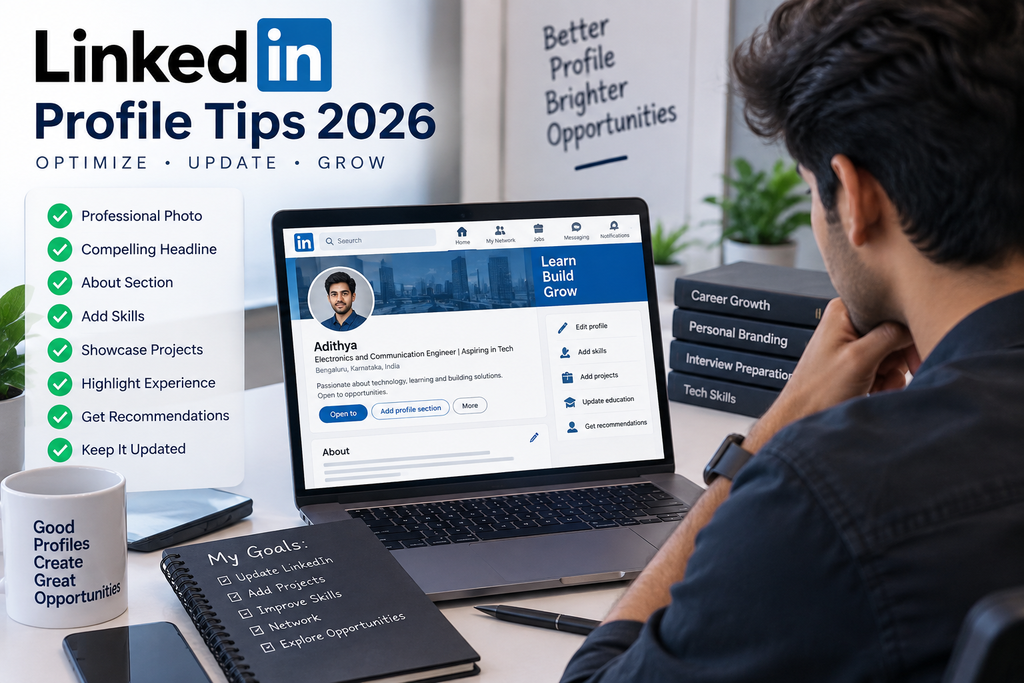
LinkedIn Profile Tips 2026 If your LinkedIn strategy is still “repeat your target job title as many times as you can fit,” you’re not just wasting effort — you’re actively making yourself harder to find. LinkedIn’s search system has moved away from simple keyword matching toward what’s often called semantic search or entity-based matching, meaning the platform now understands the relationships between skills, job titles, and industries rather than just scanning for exact word repetition. A profile that says “Project Manager” five times no longer outranks one that genuinely, comprehensively covers the actual skills, tools, and outcomes a project manager’s work involves — Agile, stakeholder management, budget ownership, delivery timelines — even if that second profile never repeats the literal job title at all.
This shift matters enormously for how you should actually build your profile in 2026, and it’s worth understanding in real detail before you touch a single section, because outdated keyword-stuffing advice is still circulating widely, and following it now can genuinely hurt your visibility rather than help it. This guide covers what changed, how to rebuild each core section of your profile around the way LinkedIn’s search actually works today, and the specific settings and habits that matter alongside the content itself.
What Actually Changed: From Keyword Matching to Semantic Search
For years, LinkedIn’s search worked close to how a basic word search does — it looked for your exact target keywords appearing in your profile text, which is exactly why “keyword stuffing” (cramming a job title repeatedly into your headline and summary) became standard advice. That approach is now outdated. LinkedIn has shifted toward analyzing your profile as a complete, holistic entity, using a large underlying knowledge graph that maps relationships between skills, roles, and industries. When a recruiter searches for a specific role, the system looks for profiles that comprehensively cover that role’s actual semantic neighborhood — the related skills, tools, and contexts a genuine practitioner would have — rather than profiles that simply repeat the search term itself.
Practically, this means a profile built around genuinely describing your real skills and achievements in specific, concrete language tends to perform better under this system than one artificially engineered around repeating a single phrase. This is a case where writing more honestly and specifically about your actual work is now also the more strategically effective approach — a genuinely welcome alignment for anyone who found keyword-stuffing advice uncomfortable to follow in the first place.
The Headline: Your Highest-Weight Field
Your headline carries outsized weight in LinkedIn’s search algorithm, and it appears everywhere your name does — search results, comment sections, connection requests, and message previews. You have up to 220 characters, and most people use fewer than 60, leaving genuine visibility on the table.
A stronger structure to work with: [Current Role] | [Core Hard Skill or Specialization] | [A Quantifiable Result or Value Proposition]. For example, rather than “Experienced Marketing Manager,” something like “Digital Marketing Manager | SEO & Performance Marketing | Scaled B2B Traffic 200%” gives both the semantic search system and a human reader far more to work with — role, specialization, and a concrete outcome, all in one line.
Avoid cramming multiple unrelated job titles or an excessive keyword list into this space — a headline that reads as a genuine, specific description of your professional identity now performs better than one that reads as a keyword dump.
The About Section: Treat It as a Searchable Index, Not Just a Biography
Your About section should be written as a genuine account of your expertise, but with deliberate attention to covering the real breadth of skills and contexts associated with your field — not through repetition, but through comprehensiveness. If you’re a project manager, this means naturally incorporating terms like Agile, Scrum, stakeholder management, risk mitigation, and delivery timelines across your description of actual projects and outcomes, rather than listing them as a disconnected block of buzzwords.
LinkedIn also tracks how long visitors spend on your profile — a metric often referred to as dwell time — as a signal of engagement and relevance. A well-written, genuinely interesting About section that holds a reader’s attention contributes to this signal in a way a thin, generic paragraph doesn’t. Write for an actual human reading it first; the structural benefit follows from genuine quality, not from gaming a specific metric directly.
Skills Section: Fewer, More Relevant Entries Beat a Long List
Resist the urge to list every skill you’ve ever touched. A focused set of 10-20 genuinely relevant, current skills outperforms a sprawling list of 50 or more, many of which may be outdated or barely relevant to your current direction. Specifically worth removing: outdated or superseded technical skills that no longer reflect current industry relevance — listing something like an old, discontinued technology signals to both the algorithm and a human reviewer that your skill list hasn’t been actively maintained.
Two features worth using deliberately:
- LinkedIn Skill Assessments: Completing these and earning a verified badge for a specific skill is reported to meaningfully improve your ranking in searches for that skill specifically, since it provides objective verification rather than a self-reported claim.
- Endorsements: The number of endorsements a specific skill has can factor into how prominently it surfaces in search results. Rather than passively waiting for endorsements to accumulate, proactively ask 3-5 people who’ve genuinely worked with you — ideally former managers or senior colleagues rather than peers at the same level — to endorse your most relevant top skills specifically.
Recommendations: An Underused Differentiator
Written recommendations remain something very few users use well, despite being a genuine differentiator both for LinkedIn’s own credibility signals and for a human recruiter’s impression of you. A profile with several detailed, specific recommendations reads as more credible than one with none or with only generic one-line endorsements. When requesting a recommendation, ask the person to be specific — a recommendation that describes a particular project, outcome, or working style carries far more weight than a vague, generic statement of general competence.
Recent Activity: Why a Static Profile Is Losing Ground
LinkedIn’s search system now factors in profile activity and completeness, meaning a profile that hasn’t been meaningfully updated in a long time can lose visibility relative to peers who keep their profiles current and stay professionally active on the platform. This doesn’t mean posting constantly — thoughtful comments on relevant industry content, occasionally sharing your own perspective on developments in your field, and periodically refreshing sections of your profile as your skills and experience genuinely evolve are enough to signal an active, current presence, without requiring a full content-creator strategy if that’s not something you’re interested in pursuing.
Job Searching Discreetly: The Settings Most People Miss
If you’re currently employed and job hunting quietly, a few specific settings genuinely matter and are worth setting up deliberately rather than leaving at their defaults:
- Turn off activity broadcasts in your account’s visibility settings, so profile edits and updates don’t automatically notify your entire network, including your current employer’s colleagues.
- Use the “Open to Work” feature with recruiter-only visibility, rather than the public version that displays the green banner on your profile photo to everyone, including people at your current company.
- Avoid posting overtly job-search-related content while you’re actively job hunting discreetly, since this can draw exactly the kind of attention you’re trying to avoid.
- Make profile changes gradually rather than all at once. A profile that’s suddenly and completely overhauled in a single day can read as a visible signal that you’re job hunting, to anyone paying close attention to your activity.
Building Your Profile Around Semantic Coverage, Not Repetition
Since the underlying shift here is toward comprehensive, relationship-based understanding of your expertise rather than simple keyword repetition, the practical exercise worth doing is this: write out every skill, tool, methodology, and outcome genuinely associated with your target role or industry, and check whether your profile — across your headline, About section, experience entries, and skills list — actually covers this full breadth, using natural, varied language rather than repeating a single fixed phrase. A profile that genuinely, comprehensively represents your actual expertise across multiple related terms will consistently outperform one narrowly built around repeating your job title alone.
How Experience Entries Should Change Under This System
It’s not just your headline and About section that benefit from this shift — your individual experience entries should follow the same principle. Rather than listing a bare job title and a string of generic duties, describe each role with enough specific detail that the semantic system (and a human reader) can infer the real scope of what you did: the tools you used by name, the scale of what you managed, and the actual outcome, not just the activity. A bullet like “Managed social media accounts” gives the system very little semantic material to work with. A bullet like “Managed paid and organic social media strategy across Instagram, LinkedIn, and Meta Ads Manager, growing engagement 40% quarter-over-quarter through data-driven content testing” gives it a rich, interconnected set of terms — platforms, tools, methodology, and a measurable outcome — that maps naturally onto the knowledge graph’s understanding of that role’s actual semantic neighborhood. This same principle should apply to every entry in your experience section, not just your most recent role, since older entries still contribute to the platform’s overall picture of your expertise.
Profile Photo and Banner: Small Details That Still Matter
While the headline and About section carry the heaviest algorithmic weight, don’t neglect the more visual elements of your profile, since these affect the human decision to click through once your profile does surface in a search. A clear, professional, approachable headshot — not a group photo cropped down, not a low-resolution image, not one taken from an unusual angle — remains a basic but frequently overlooked detail. Your banner image is prime, underused real estate: rather than leaving the default LinkedIn background, consider a simple banner that reinforces your professional identity or area of expertise, since this space sits directly behind your name and headline in every view of your profile.
How This Connects to Your Resume
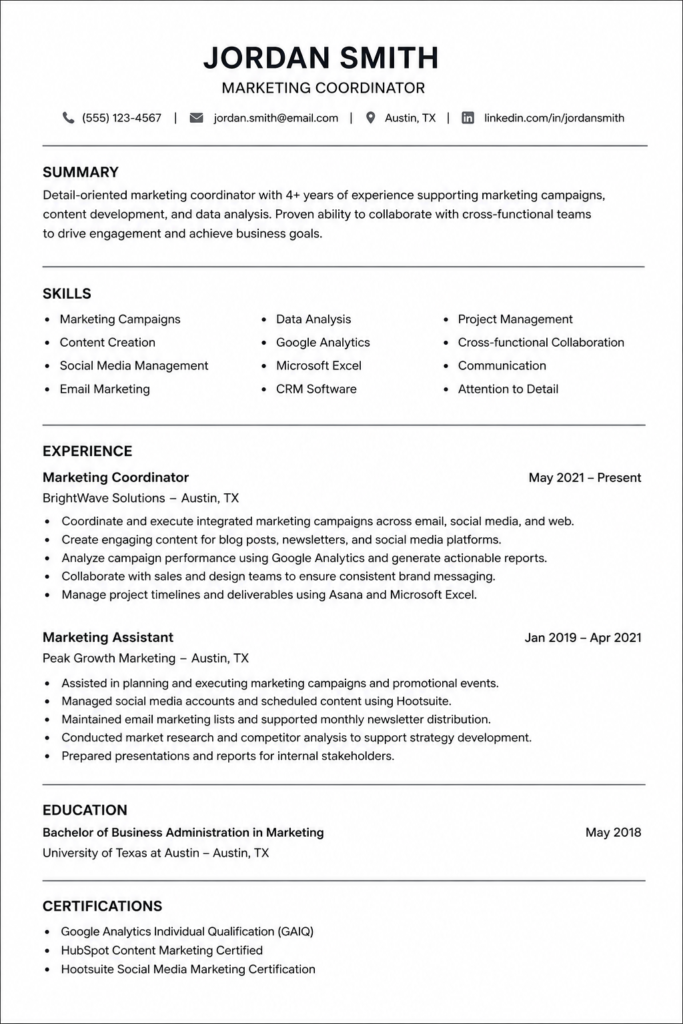
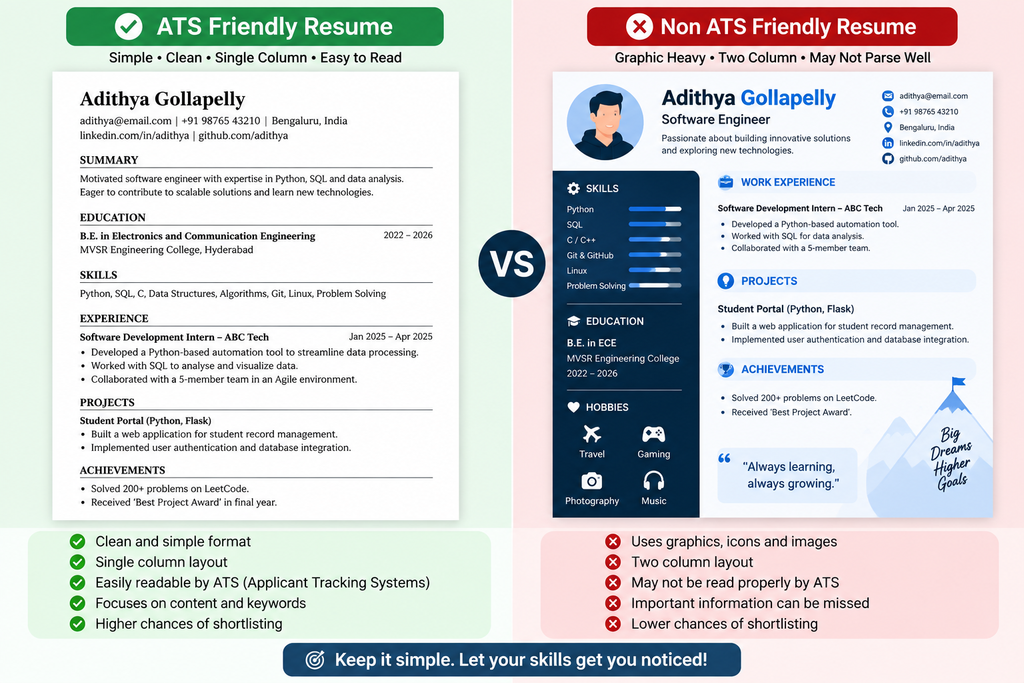
Your LinkedIn profile and resume should be factually consistent — job titles, dates, and core achievements shouldn’t contradict each other, since recruiters routinely cross-check both. That said, they don’t need to be identical in tone or structure: your resume is typically more concise and formatted for quick scanning, while your LinkedIn About section has more room for a narrative account of your career direction and interests. If you’ve recently updated one, take the time to update the other consistently, rather than letting them drift out of sync over time.
Adapting This Strategy If You’re Early in Your Career
Everything above assumes some depth of work history to draw on, which raises a fair question for students and freshers: what does semantic, comprehensive coverage look like when you don’t have years of professional experience to describe in rich detail? The same underlying principle still applies — it just draws on different material. Academic projects, internships, coursework, and even significant personal projects can all be described with the same specificity and semantic richness as professional experience: name the tools and technologies you used, describe the scope and any measurable outcome, and connect the work explicitly to the skills your target roles actually require. A computer science student’s project section describing “Built a machine learning model using Python, scikit-learn, and pandas to predict customer churn, achieving 85% accuracy on a test dataset” gives the semantic search system just as much rich, interconnected material to work with as a professional’s project description would. The volume of experience differs by career stage, but the principle of specific, semantically rich description rather than vague, generic language applies identically whether you’re a fresher or a decade into your career.
Common Mistakes to Avoid
- Repeating your target job title multiple times across your headline and About section, assuming this still boosts your ranking. Under current semantic search, this no longer helps, and can look unnatural to human readers as well.
- Listing 50+ skills, many outdated or barely relevant. A focused, current list of 10-20 skills performs better than an exhaustive but stale one.
- Leaving your profile static for a long stretch of time. LinkedIn’s search system factors in activity and currency — a profile that hasn’t been meaningfully touched in a long time loses ground to actively maintained ones.
- Using the public “Open to Work” banner while employed and job hunting discreetly. Use the recruiter-only visibility setting instead if discretion matters to you.
- Overhauling your entire profile in a single day while employed. This can read as an obvious signal to colleagues and your current employer — spread meaningful changes out over a couple of weeks instead.
- Requesting generic recommendations. A recommendation that speaks to a specific project or outcome is far more valuable than a vague, one-line endorsement of general competence.
- Writing bare, generic experience bullets. A vague duty description gives the semantic search system little to work with — be specific about tools, scale, and outcomes in every entry, not just your most recent role.
- Letting your LinkedIn and resume drift out of factual sync. Recruiters commonly cross-check both — keep job titles, dates, and core claims consistent across each.
Frequently Asked Questions
Does keyword stuffing still help my LinkedIn profile rank in search?
No, this is now outdated advice. LinkedIn’s shift to semantic, entity-based search means comprehensive, natural coverage of your actual skills and experience performs better than repeating a single keyword or job title.
What’s the most important field to optimize on my LinkedIn profile?
Your headline carries the highest search weight and appears throughout the platform — in search results, comments, and message previews — making it the highest-priority field to get right.
Do LinkedIn Skill Assessments actually matter?
Completing them and earning a verified badge is reported to meaningfully improve your visibility in searches for that specific skill, since it provides objective, third-party verification of your claimed ability.
How many skills should I list on my profile?
A focused set of 10-20 genuinely relevant, current skills is more effective than a long, sprawling list of 50 or more, many of which may be outdated.
Does posting or staying active on LinkedIn actually affect my search ranking?
Yes, LinkedIn’s system factors in profile activity and completeness — a profile that’s actively, thoughtfully maintained tends to outperform a static one that hasn’t been updated in a long time.
How do I job search on LinkedIn without my current employer noticing?
Turn off activity broadcasts, use the “Open to Work” feature with recruiter-only visibility rather than the public banner, avoid overtly job-search-related posts, and make profile changes gradually over a couple of weeks rather than all at once.
Should my LinkedIn profile and resume say exactly the same thing?
They should be factually consistent in job titles, dates, and core achievements, but don’t need identical wording — your resume is typically more concise, while LinkedIn’s About section allows for more narrative detail.
Do endorsements on LinkedIn actually matter for search ranking?
Yes, the number of endorsements a specific skill has can factor into how prominently that skill surfaces in recruiter searches — proactively requesting endorsements from people who’ve genuinely worked with you is worth doing rather than waiting passively.
Is it bad to update my entire LinkedIn profile all at once?
If you’re employed and job hunting discreetly, a sudden, complete overhaul in a single day can be a visible signal to your network — spreading changes out gradually is a more discreet approach.
What’s the biggest overall mistake people make on LinkedIn in 2026?
Treating their profile like a static, one-time-written resume rather than a living, search-optimized presence that reflects the platform’s shift toward semantic, relationship-based search rather than simple keyword matching.
The Bottom Line
LinkedIn Profile Tips 2026 genuinely differ from the advice that worked even a couple of years ago, and the core shift is worth internalizing rather than just tactically applying: the platform now rewards comprehensive, genuine representation of your actual expertise over mechanical keyword repetition. Rebuild your headline around a clear role-skill-outcome structure, treat your About section as a searchable but genuinely well-written account of your expertise, keep your skills list focused and current, actively pursue skill verification and specific recommendations, and stay meaningfully active rather than letting your profile go stale. If you’re job hunting while employed, layer the discretion settings on top of all of this rather than skipping them.
For more career and job-search guidance, check out our Resume Tips category page for regularly updated advice. And if you’re working on your resume alongside your LinkedIn profile, our guide on Free ATS Resume Builder Tools 2026 covers how to keep both documents consistent and genuinely effective.
Suggested Internal Links
- Resume Tips Category
- Free ATS Resume Builder Tools 2026: 7 Tested
- Resume Tips for Experienced Candidates 2026: Best Guide
- How to Answer Tell Me About Yourself: Best 3-Step Guide
Suggested External References
- LinkedIn Official Help Center (Profile and Search): https://www.linkedin.com/help
- LinkedIn Official Blog: https://www.linkedin.com/blog
- LinkedIn Talent Solutions Recruiter Insights: https://business.linkedin.com/talent-solutions