Nano Banana 2 AI Tool Open Instagram right now and you’ll probably see it within thirty seconds: a friend’s retro 1990s Bollywood-style portrait, a relative posing in a vintage saree that never actually existed, or a hyper-detailed miniature figurine of someone’s pet sitting in a collectible toy box. All of it is coming from the same free tool — Nano Banana 2, Google’s latest AI image generator, folded directly into the Gemini app.
This isn’t a niche developer release. India is currently the single largest user base for this tool anywhere in the world, and the Gemini app has climbed to the top of both the Apple App Store and Google Play free charts in the country on the back of it. If you’ve been wondering what exactly your feed is obsessed with this month, here’s the full picture — what it is, how the trend actually works, what’s changed in the “2” version, and a few things worth knowing before you upload your own photos.
What Nano Banana Actually Is
Nano Banana is the nickname that stuck for Google’s AI image generation and editing model, officially released as part of the Gemini family (technically Gemini 3.1 Flash Image in its current form). It lets anyone type a plain-language instruction — “turn this into a 1990s film-style portrait,” “make this a collectible vinyl figurine” — and get back a finished, often startlingly realistic image, using nothing more than a photo and a free Google account.
The original version launched in August 2025 and immediately became one of the fastest-adopted consumer AI tools of the year, pulling in more than 10 million first-time Gemini users within days and eventually powering billions of image edits. Nano Banana 2, released in February 2026, is the faster, sharper follow-up — built on Google’s quicker “Flash” model line, with noticeably better instruction-following and detail than the original.
Why India Specifically Has Adopted It So Fast
According to Google’s own team working on Gemini’s image generation, India has become the number one Nano Banana 2 AI Toolcountry for Nano Banana usage worldwide. Part of that comes down to India’s sheer scale as the world’s second-largest smartphone market — but the more interesting part is how Indian users have adapted the tool into trends that didn’t exist anywhere else:
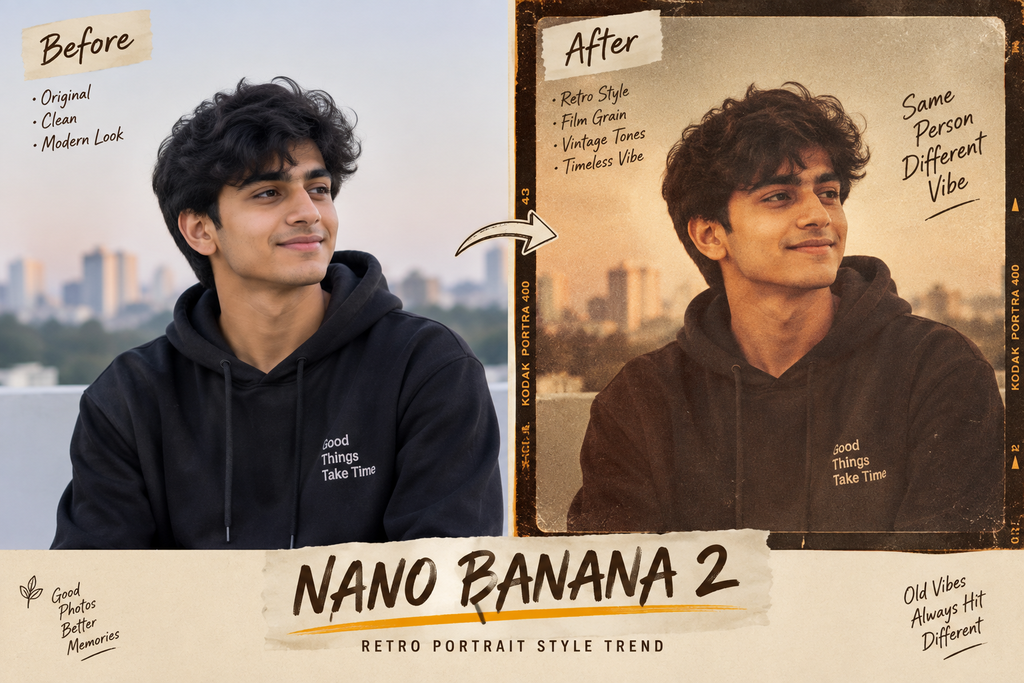
- The retro Bollywood look — recreating yourself in 1990s-style fashion, hairstyles, and film-grain aesthetics
- The “AI saree” trend — generating a polished, vintage-style portrait of yourself in traditional Indian attire, even if you’ve never owned or worn that exact outfit
- Figurine-style edits — turning a selfie or a pet photo into a miniature, shelf-ready collectible figure, complete with a display base and packaging mockup
None of these were features Google specifically built — they’re user-invented prompt patterns that spread because they’re easy to copy, genuinely impressive to look at, and instantly shareable.
How to Try It Yourself
- Open the Gemini app (free on Android and iOS) or go to gemini.google.com, signed in with any Google account.
- Upload a clear photo of yourself, a pet, or an object.
- Type a plain-language instruction describing the style you want — you don’t need any technical prompt-writing skill, just describe the outcome you’re picturing.
- Wait a few seconds; Nano Banana 2 generates the result directly in the chat.
- Regenerate with a tweaked instruction if the first result isn’t quite right — this is normal and expected, not a sign you did something wrong.
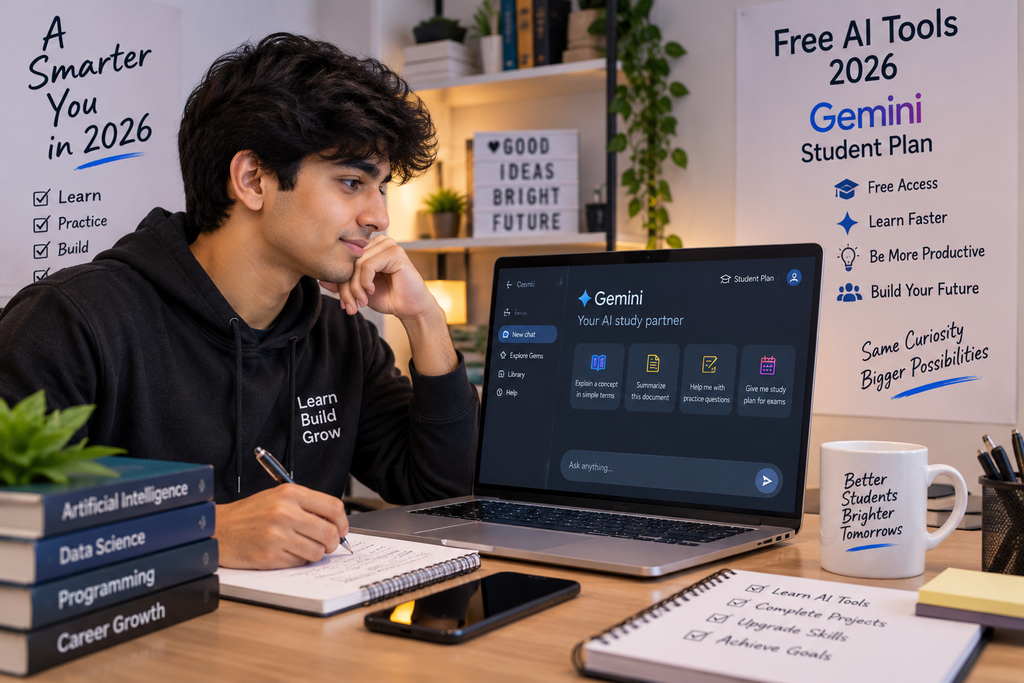
There’s no separate app to download and no payment required for the core experience — it’s built into the same Gemini app most Android phones already have installed.
What’s Genuinely New in Version 2
- Faster generation, since it runs on Google’s lighter “Flash” architecture rather than a heavier full model
- Better instruction-following — fewer generations where the tool ignores part of what you asked for
- Sharper detail and consistency, particularly noticeable in faces and text within images
- Wider rollout across Google’s ecosystem — the same model now powers image results inside Google Search’s AI Mode, Lens, and Google’s separate video tool, Flow, not just the standalone Gemini app
Before You Upload Your Photo: Three Things Worth Knowing
1. Every generated image carries an invisible watermark. Google embeds a digital marker called SynthID into every image the tool produces, along with metadata tags, specifically so the image can be identified as AI-generated later, even if it’s screenshotted or reposted without any visible label.
2. The realism cuts both ways. The same quality that makes a retro portrait look convincing is what’s fueling a separate, more uncomfortable trend — AI-generated “photos” placing ordinary users next to real celebrities in a way that looks genuinely authentic. Some users have reported the tool inferring surprisingly specific personal details from an uploaded photo, which has understandably raised privacy questions.
3. Think before uploading photos of other people. Since the tool works from any photo you provide, uploading images of friends, family, or strangers without their knowledge or consent raises the same basic consent concerns as any photo editing or sharing — the ease of the tool doesn’t remove that responsibility.
How It Compares to Other Options Right Now
| Tool | Best For | Cost |
|---|---|---|
| Nano Banana 2 (Gemini) | Fast, realistic photo edits and stylized portraits | Free |
| OpenAI’s Sora | AI-generated video clips | Paid tiers |
| Adobe Firefly | Design-integrated image editing for creative workflows | Free tier + paid |
Nano Banana 2’s biggest edge over rivals right now is simply distribution — it’s sitting inside an app most Android users already have, rather than requiring a separate sign-up or subscription, which is a large part of why adoption has moved so fast specifically in India.
Frequently Asked Questions
Is Nano Banana 2 free to use?
Yes, the core image generation and editing experience is free through the Gemini app with any Google account.
Is Nano Banana 2 different from the original Nano Banana?
Yes — it’s a faster, more detailed successor built on Google’s Flash model architecture, released roughly six months after the original went viral.
Can people tell if a photo was made with Nano Banana?
Google embeds an invisible SynthID watermark and metadata tag into every generated image specifically so it can be identified as AI-made later.
Why is India the top country for this tool?
Google’s own team has confirmed India leads global usage, driven both by smartphone scale and by India-specific trends like retro Bollywood portraits and the “AI saree” style that emerged organically among users.
Is it safe to upload personal photos?
The tool itself is legitimate and run by Google, but users should be thoughtful about uploading photos of other people without consent, and aware that AI tools can sometimes infer more from an image than expected.
Do I need to download a separate app?
No, it works inside the existing Gemini app or through Google’s Gemini website — no additional download is required.
The Bigger Picture
Nano Banana 2 is a genuinely useful case study in how a single well-distributed AI feature can outpace tools with more advanced underlying technology, purely by removing every point of friction — no download, no cost, no login beyond an account most people already have. Whether the current wave of retro portraits and figurine edits is still trending by the time you read this or has already been replaced by the next one, the underlying pattern is worth watching: free, instantly shareable, built into an app already on your phone.
For more on how AI tools are reshaping everyday work and job searching, check out our Trending category page for regularly updated coverage. And if you’re exploring how AI skills fit into your own career plans, our guide on AI Powered Software Engineer Preparation breaks down what’s actually worth learning versus what’s just hype.
Suggested Internal Links
- Trending Category
- AI Powered Software Engineer Preparation: Best 2026 Guide
- Resume Tips for Freshers 2026: Best First Job Guide
Suggested External References
- Google Gemini App: https://gemini.google.com
- Google DeepMind Official Blog: https://deepmind.google/discover/blog
- SynthID Information (Google): https://deepmind.google/technologies/synthid